




Latest Posts
No news found matching your search.

Digitale Souveränität: Auch in Linz denkt jemand darüber nach
Die KPÖ Oberösterreich hat am 21. September eine Anfrage an den Linzer Bürgermeister veröffentlicht, die mich positiv überrascht hat. Gemeinderat Michael Roth-Schmida will von Dietmar Prammer wissen, wie es um die IT-Sicherheit und den Datenschutz im Magistrat Linz bestellt ist — konkret bei jenen Daten, die über Microsoft 365 verarbeitet werden.
Gefragt wird nach den Dingen, die man fragen muss:
- welche technischen und organisatorischen Schutzmaßnahmen es gibt (Verschlüsselung, Authentifizierung, Zugriffsüberwachung),
- wo die Daten tatsächlich liegen und ob sie die EU verlassen,
- wie das neue Netz- und Informationssystemsicherheitsgesetz (NISG 2026) umgesetzt wird,
- wie Sicherheitsvorfälle erkannt und gemeldet werden,
- und ob Open-Source-Alternativen wie openDesk oder Nextcloud überhaupt geprüft wurden.
Besonders der letzte Punkt freut mich. Die Diskussion um digitale Souveränität wird in Österreich meist geführt, als wäre sie ein Luxusthema für Nerds. Dabei geht es um etwas sehr Bodenständiges: Eine Stadtverwaltung verarbeitet die Daten ihrer Bürgerinnen und Bürger. Wenn diese Daten auf Infrastruktur liegen, deren Betreiber einer fremden Rechtsordnung unterliegt, dann ist das keine technische Detailfrage, sondern eine politische.
Andere haben das längst vorgemacht — Schleswig-Holstein steigt konsequent auf offene Software um, und auch in mehreren deutschen Kommunen läuft openDesk im Echtbetrieb. Es geht also. Es kostet Arbeit, und es kostet in der Übergangsphase Nerven, aber es ist keine theoretische Übung.
Ob die Anfrage eine brauchbare Antwort bekommt, steht auf einem anderen Blatt. Anfragen dieser Art werden gerne mit Verweisen auf bestehende Verträge und Zertifizierungen beantwortet. Trotzdem: Dass die Frage in einem Gemeinderat überhaupt gestellt wird, ist ein Fortschritt. Man muss die Fragen stellen, bevor man Antworten bekommt.
Ich bin gespannt, was aus der Sitzung am 24. September herauskommt.
Release 1.0.0
Version 1.0.0 is out. It collects a single day of work around one idea: this blog should be writable from the place where articles are actually written — a text editor and a terminal.
What is new
A JSON API. Six endpoints, authenticated with a bearer token, cover the whole life of an article: create it, upload its attachments, publish it, read it back, revise it. A key belongs to exactly one user and acts as that user, so nothing about visibility or ownership changes just because the request came from a script.
A client. post-article takes a Markdown file with a short front matter
block and does the rest: create the draft, upload the images, publish on
request, notify the followers only when asked. Drafts are the default,
because the only step that cannot be undone is the e-mail.
Key management in the browser. Admins mint and revoke keys under API Keys, with a guide on the page itself: where to store the key, which commands to run, what each endpoint does, and where the limits are. A new key is shown exactly once — only its hash is kept.
An audit trail. Every API call is recorded with method, path, status, IP address and the name of the key that made it. Rejected calls are recorded too. Whatever a script did, the audit log knows which key did it.
Downloads. The client and the agent skill can be fetched straight from the documentation, so a new machine needs nothing but a browser.
Smaller repairs along the way
Reading the first API-written article back from the site turned up three things worth fixing:
- The client split articles at the language separator even when that line sat inside a code example, cutting the text in half.
- The language switch on an article drew a border around the language you were not reading, which looked like the button to press.
- Relative timestamps only knew how to phrase the past, so a key valid for another year politely reported that it expired “just now”.
Try it
mix w_app_core.api_token create you@example.com --label laptop
post-article --check
post-article --publish article.md
This post was written in an editor and sent from a terminal.
Writing posts from the terminal
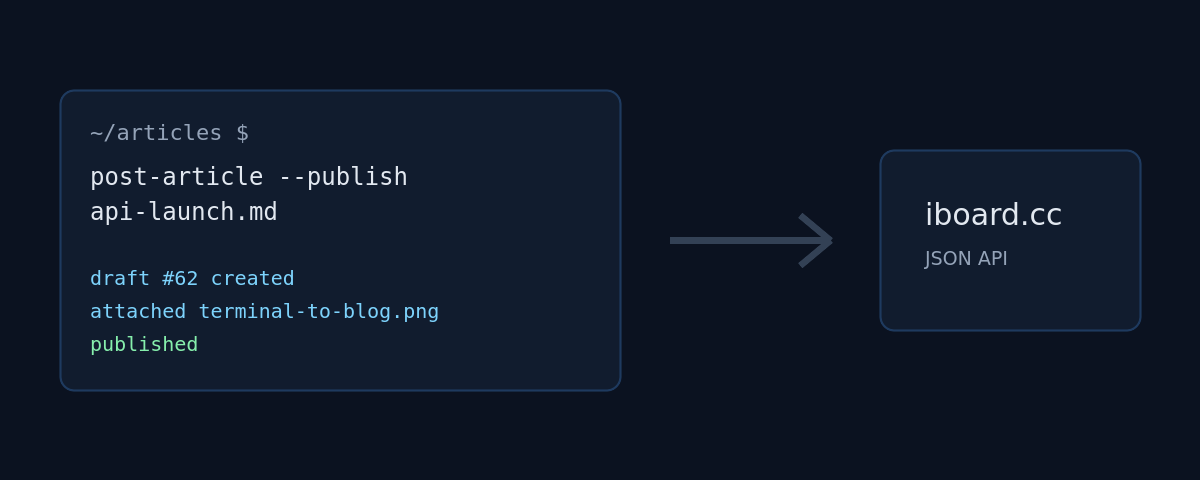
This blog now accepts articles over a JSON API. Write the text in your editor of choice, run one command, and the post lands here — as a draft first, so nothing goes out before you have read it in its final shape.
Why bother
The editor in the browser is fine for a quick note. It is less fine when the text already exists as a file, when the screenshots sit in a folder next to it, or when the article is the last step of a script that has just finished a release. For those cases the blog got an API.
The shape of it
Six endpoints, all authenticated with a bearer token:
GET   /api/me                        the user behind the token
POST  /api/posts                     create a post (draft by default)
GET   /api/posts/:id                 read one of your own posts
PATCH /api/posts/:id                 revise a post, field by field
POST  /api/posts/:id/attachments     upload a file
POST  /api/posts/:id/publish         publish, optionally notify followers
A key belongs to exactly one user and acts as that user, so the same visibility and ownership rules apply as in the browser. Keys are stored hashed, expire after a year, and are minted and revoked by an admin under API Keys.
One command
The interesting part is the client. An article is a Markdown file with a small front matter block:
---
subject: The English headline
subject_de: Die deutsche Überschrift
tags: elixir phoenix
visibility: public
attachments:
  - diagram.png
---
The English body. Embed the image with {diagram.png}.

--- de ---

Der deutsche Text, wieder mit {diagram.png}.
Then:
post-article --publish article.md
The script creates the draft, uploads the attachments, publishes, and prints
the URL. Leave off --publish and you get a draft to review. Add --notify
and the followers get the usual e-mail — with the images already in place,
which is exactly why uploading happens before publishing.
What it does not do
It does not unpublish, it does not delete, and it will not let you touch
someone else’s post. Those stay in the browser, where a mis-click is visible
and reversible. Revising works, though: a PATCH changes exactly the fields
it is given — this very paragraph arrived that way. Every API call is written
to the audit log with method, path, status, IP and the name of the key that
made it, so it is always clear which script did what.
This article was posted with the command above.
gitpro — a GitHub project board in the terminal
I read a project board far more often than I edit one. What is on the board is something I want to know while I am standing in the checkout, working — not after opening a browser, finding the organisation, clicking the right board and hunting down the card.
So: gitpro, version 1.0.0, now on Hex.
cd ~/Projects/some-repo
gitpro
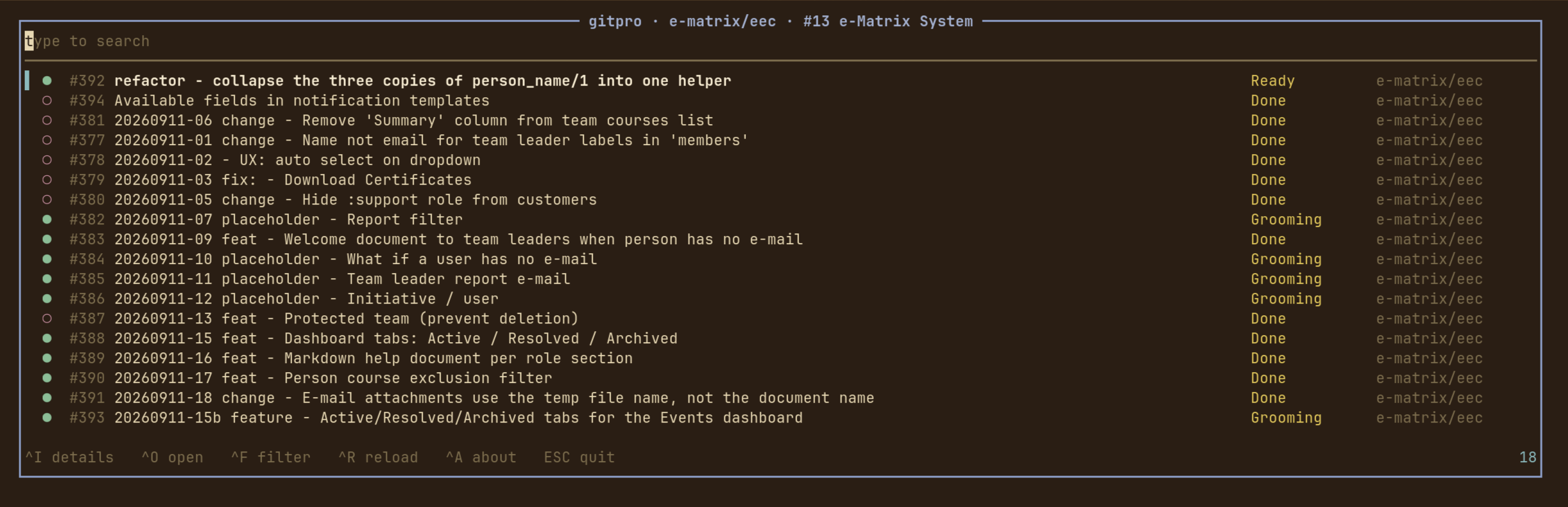
That is the whole invocation. gitpro asks git which repository the working directory belongs to, asks GitHub which Projects v2 boards that repository is linked to, and opens the cards on one of them.
Typing is searching
There is no mode to enter and no key to press first. The search field has the keyboard from the moment gitpro opens — every printable character is the query’s, and everything else is bound to a key the field does not want. Every word has to match somewhere in the row: its number, title, repository, column, author, milestone, labels, assignees or state.
^F opens the switches: state (open, closed, merged, draft — only the
ones the board actually has), the board’s kanban columns, the labels the cards
wear and the people they are assigned to, each with an empty bucket of its own.
The list narrows behind the popup as the switches are set, so you can see what a
switch does before you commit to it.
^I shows a card in full — title, description, state, column, repository,
author, labels, assignees, milestone and dates. All of it arrived with the
board, so the popup opens instantly and keeps working with the network gone.
j and k walk to the next card without closing it: reading through a column
is opening the first card and holding j. ^O or Enter opens the card in a
browser.
How it is put together
The UI is Atui, a terminal toolkit in the
shape of Phoenix LiveView: views with state, a render/2 that returns cells,
and a runtime that owns the terminal.
It talks to GitHub through the gh CLI, which means
there is no HTTP client, no JSON dependency and no token to configure beyond
gh auth login.
Two things are deliberate. Failing happens in the terminal, not in the UI — “not a git repository”, “gh is not installed”, “this repository is not on a project board” are printed on stderr, with a non-zero exit status, before the alternate screen is opened. And everything that decides what is on screen is a pure function over data: the filters, the GraphQL decoders, the row widths, the window onto a list longer than the screen. So the interesting half of the application is tested without a terminal and without a token.
Installing
gh has to be installed and logged in with the project scope:
gh auth login
gh auth refresh -s project      # if 'project' is not already in gh auth status
Then, in one step:
mix escript.install hex gitpro
The escript lands in ~/.mix/escripts, so that wants to be on your PATH.
Not yet
An MVP, and it shows. Next up: comments and sub-issues in the detail popup, moving a card between columns from here rather than in a browser, and remembering the switches per board between runs.
- Hex: https://hex.pm/packages/gitpro
- GitHub: https://github.com/iboard/gitpro
- Docs: https://hexdocs.pm/gitpro
GPL-3.0-or-later.
What Was That Sound?
You know the moment. Something pings. A soft little blip from somewhere in the machine,
and you have no idea what made it. Was that a chat message? A build finishing? A browser tab you forgot you left open three hours ago?
You end up doing the thing we all do: alt-tab through every window hunting for a badge, find nothing, and go back to work slightly annoyed. The sound is gone. Whatever wanted your attention got it, and then declined to say who it was.
So I wrote a small Omarchy shell plugin that just tells you.
Sound Source
🌐 Omarchy Plug Ins - Marketplace
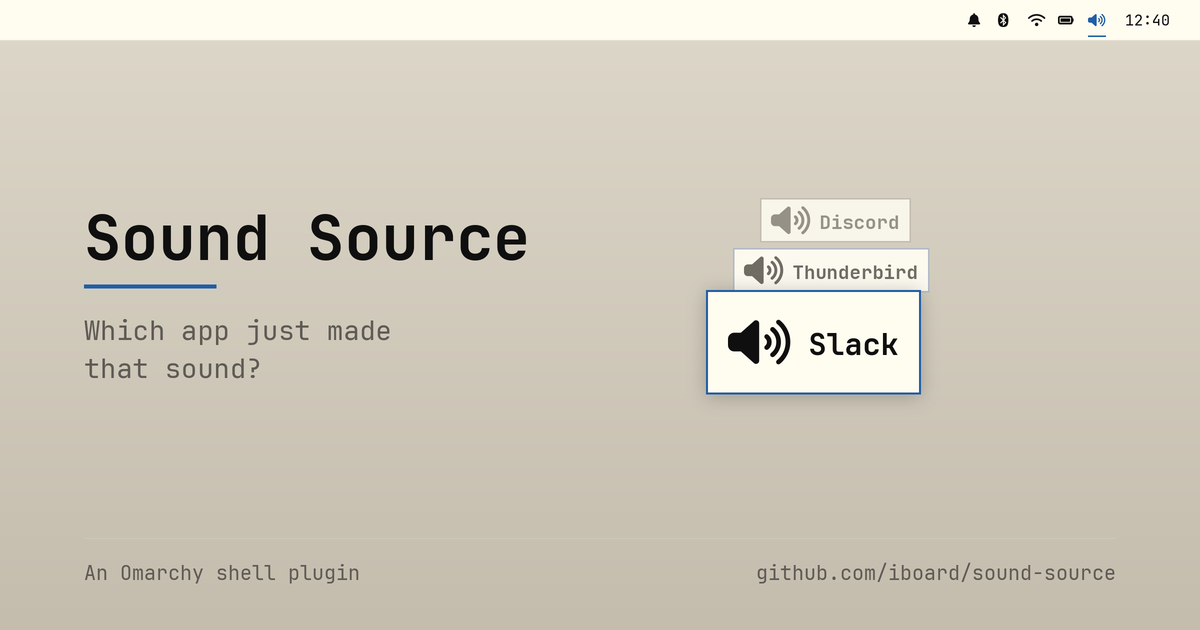
When an app starts playing audio, a short popup appears naming it. That’s the whole idea. A speaker icon sits on the bar; left-click turns announcements on and off, right-click opens a setup dialog.
The dialog is where the interesting bits live. You get the on/off switch again, a per-app Never announce list, and controls for where the popup appears and how long it stays.
One detail there I’m quietly pleased with: the app list isn’t what’s playing right now — it’s everything the plugin has seen play since the shell started. That sounds like a small distinction, but it’s the one that makes the feature usable. By the time you’re irritated enough to go looking for the culprit, the culprit has already stopped making noise. A list of currently playing apps would be empty exactly when you need it. Ignored apps stay in the list too, so you can always take one back off.
New streams, not loud streams
Here’s the part I found genuinely interesting to build.
The obvious way to detect “an app made a sound” is to watch audio levels: attach a meter to everything and announce whenever something goes from silent to loud. It’s the intuitive approach, and it’s the wrong one.
Watch what a discrete sound actually is in the PipeWire graph. An app opens a fresh playback stream, plays its blip, and closes the stream again. One notification sound is one node appearing and then vanishing. That’s a clean, cheap, unambiguous signal — so the plugin watches for new playback streams appearing, reads the app name off the stream, and shows it.
No meters. No polling. Nothing running when nothing is happening.
media.role comes along for free on most streams, so it also picks the glyph
— a music note for Music, Video and Game, something quieter for a
notification.
The double-popup mystery
Of course it wasn’t that clean at first. Early on, every single sound popped up twice.
The culprit was Omarchy’s parametric EQ. It takes the app’s stream, processes
it, and re-publishes it — so the graph gets two new nodes per sound, one from
the app and one from the EQ. The fix is to skip anything tagged
media.role=DSP, plus nodes whose names start with output.omarchy.,
input.omarchy. or omarchy_speaker_tuning. That’s plumbing, not an
application, and it has no business raising a popup.
A couple of other small guards earned their place the same way. A browser
opening three streams at once should announce once, not three times, so
there’s a short repeat window (repeatMs, 1500ms by default). And streams
that are already playing when the shell loads get recorded silently rather
than announced — otherwise every shell restart would fire a volley of popups
at you (startupGraceMs).
What it deliberately doesn’t do
An app that holds one long-lived stream open and plays all its sounds through it produces no new node, so nothing gets announced.
Music players work this way, which is harmless — you know you started the music. But a chat app keeping a permanently open output stream would slip right through, and that’s exactly the case you wanted this for.
Catching it means going back to level watching after all: a peak monitor per stream, announcing on silent-to-loud. And that’s a standing cost — a monitor running on every stream for as long as the shell is up, whether or not you ever hear anything. I left it out rather than shipping it disabled behind a setting. If it turns out people hit this often enough, that’s the moment to reconsider, not before.
I’d rather ship something small that’s honest about its edges than something that quietly burns CPU to cover a case most people never meet.
Living on the bar properly
The bar icon went through a revision that taught me something about Omarchy’s shell.
Originally it stayed drawn and just dimmed when announcements were off. That
worked, but it sat oddly next to the stock indicators — Dnd, NightLight
and friends conceal themselves entirely and collapse their slot until you
hover the indicator area. Mine was the one icon that wouldn’t take a hint.
Making it behave turned out to be less obvious than expected. You can’t simply
list a plugin in omarchy.indicators’ own items: that widget resolves every
entry to a file in the shell’s packaged indicators directory, so a plugin id
there loads exactly nothing. Instead the widget reaches into the bar’s
moduleSlots, finds the live omarchy.indicators instance, and reads its
reveal state — which lets a plugin join the group from its own slot. Hovering
the icon holds that reveal open, so it can’t slide out from under your pointer
before the click lands.
It only conceals itself if such a host actually exists, mind. On a bar with no indicators widget there’d be no hover to bring it back, and a switch nothing can click is a switch stuck off.
Getting it
No dependencies beyond Omarchy 4.x and PipeWire. It uses Quickshell’s own
Quickshell.Services.Pipewire, so there’s nothing to build and no helper
process to keep alive — pure QML and JavaScript.
omarchy plugin add https://github.com/iboard/sound-source.git --enable --yes
omarchy bar put io.github.iboard.sound-source --after omarchy.indicators
omarchy restart shell
Everything is reachable over IPC too, for keybindings or the Omarchy menu:
omarchy-shell sound-source now      # what's playing right now
omarchy-shell sound-source last     # the app announced most recently
omarchy-shell sound-source toggle   # same switch as the bar icon
Plugins land disabled if you drop the --enable, so you can read the code
first. Which you should — for this or any other plugin, since they run
unsandboxed inside omarchy-shell.
It’s Apache-2.0, and it’s on its way to the Omarchy plugin marketplace. Source, README and the full settings table are on GitHub.
Now go find out what that pinging was.