




You know the moment. Something pings. A soft little blip from somewhere in the machine,
and you have no idea what made it. Was that a chat message? A build finishing? A browser tab you forgot you left open three hours ago?
You end up doing the thing we all do: alt-tab through every window hunting for a badge, find nothing, and go back to work slightly annoyed. The sound is gone. Whatever wanted your attention got it, and then declined to say who it was.
So I wrote a small Omarchy shell plugin that just tells you.
Sound Source
🌐 Omarchy Plug Ins - Marketplace
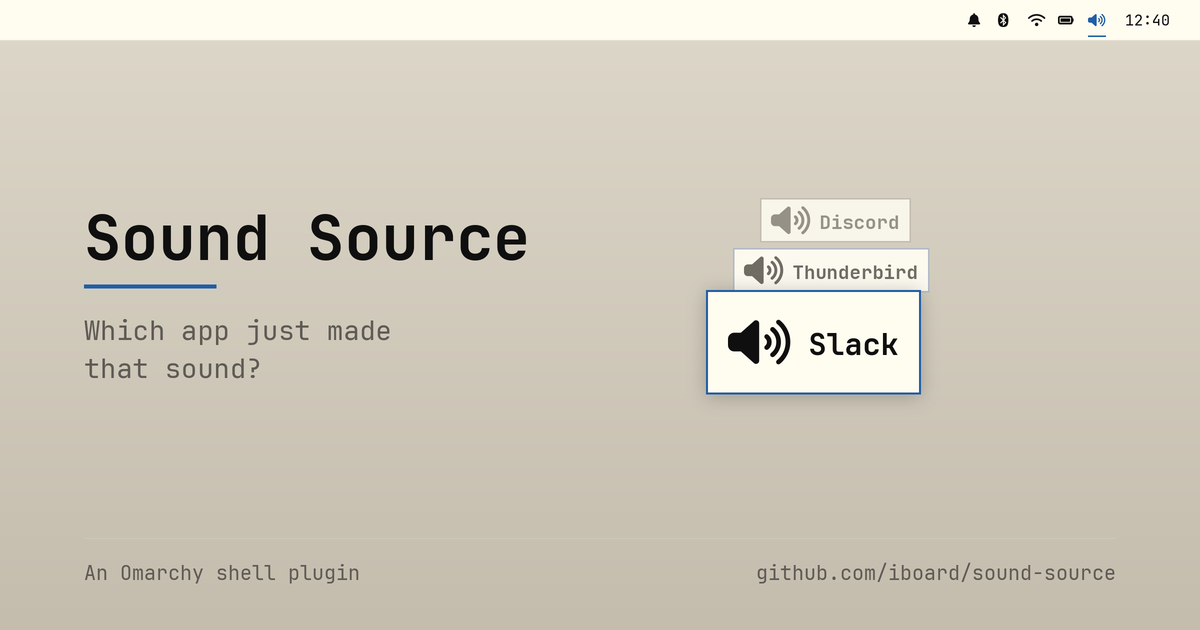
When an app starts playing audio, a short popup appears naming it. That’s the whole idea. A speaker icon sits on the bar; left-click turns announcements on and off, right-click opens a setup dialog.
The dialog is where the interesting bits live. You get the on/off switch again, a per-app Never announce list, and controls for where the popup appears and how long it stays.
One detail there I’m quietly pleased with: the app list isn’t what’s playing right now — it’s everything the plugin has seen play since the shell started. That sounds like a small distinction, but it’s the one that makes the feature usable. By the time you’re irritated enough to go looking for the culprit, the culprit has already stopped making noise. A list of currently playing apps would be empty exactly when you need it. Ignored apps stay in the list too, so you can always take one back off.
New streams, not loud streams
Here’s the part I found genuinely interesting to build.
The obvious way to detect “an app made a sound” is to watch audio levels: attach a meter to everything and announce whenever something goes from silent to loud. It’s the intuitive approach, and it’s the wrong one.
Watch what a discrete sound actually is in the PipeWire graph. An app opens a fresh playback stream, plays its blip, and closes the stream again. One notification sound is one node appearing and then vanishing. That’s a clean, cheap, unambiguous signal — so the plugin watches for new playback streams appearing, reads the app name off the stream, and shows it.
No meters. No polling. Nothing running when nothing is happening.
media.role comes along for free on most streams, so it also picks the glyph
— a music note for Music, Video and Game, something quieter for a
notification.
The double-popup mystery
Of course it wasn’t that clean at first. Early on, every single sound popped up twice.
The culprit was Omarchy’s parametric EQ. It takes the app’s stream, processes
it, and re-publishes it — so the graph gets two new nodes per sound, one from
the app and one from the EQ. The fix is to skip anything tagged
media.role=DSP, plus nodes whose names start with output.omarchy.,
input.omarchy. or omarchy_speaker_tuning. That’s plumbing, not an
application, and it has no business raising a popup.
A couple of other small guards earned their place the same way. A browser
opening three streams at once should announce once, not three times, so
there’s a short repeat window (repeatMs, 1500ms by default). And streams
that are already playing when the shell loads get recorded silently rather
than announced — otherwise every shell restart would fire a volley of popups
at you (startupGraceMs).
What it deliberately doesn’t do
An app that holds one long-lived stream open and plays all its sounds through it produces no new node, so nothing gets announced.
Music players work this way, which is harmless — you know you started the music. But a chat app keeping a permanently open output stream would slip right through, and that’s exactly the case you wanted this for.
Catching it means going back to level watching after all: a peak monitor per stream, announcing on silent-to-loud. And that’s a standing cost — a monitor running on every stream for as long as the shell is up, whether or not you ever hear anything. I left it out rather than shipping it disabled behind a setting. If it turns out people hit this often enough, that’s the moment to reconsider, not before.
I’d rather ship something small that’s honest about its edges than something that quietly burns CPU to cover a case most people never meet.
Living on the bar properly
The bar icon went through a revision that taught me something about Omarchy’s shell.
Originally it stayed drawn and just dimmed when announcements were off. That
worked, but it sat oddly next to the stock indicators — Dnd, NightLight
and friends conceal themselves entirely and collapse their slot until you
hover the indicator area. Mine was the one icon that wouldn’t take a hint.
Making it behave turned out to be less obvious than expected. You can’t simply
list a plugin in omarchy.indicators’ own items: that widget resolves every
entry to a file in the shell’s packaged indicators directory, so a plugin id
there loads exactly nothing. Instead the widget reaches into the bar’s
moduleSlots, finds the live omarchy.indicators instance, and reads its
reveal state — which lets a plugin join the group from its own slot. Hovering
the icon holds that reveal open, so it can’t slide out from under your pointer
before the click lands.
It only conceals itself if such a host actually exists, mind. On a bar with no indicators widget there’d be no hover to bring it back, and a switch nothing can click is a switch stuck off.
Getting it
No dependencies beyond Omarchy 4.x and PipeWire. It uses Quickshell’s own
Quickshell.Services.Pipewire, so there’s nothing to build and no helper
process to keep alive — pure QML and JavaScript.
omarchy plugin add https://github.com/iboard/sound-source.git --enable --yes
omarchy bar put io.github.iboard.sound-source --after omarchy.indicators
omarchy restart shell
Everything is reachable over IPC too, for keybindings or the Omarchy menu:
omarchy-shell sound-source now      # what's playing right now
omarchy-shell sound-source last     # the app announced most recently
omarchy-shell sound-source toggle   # same switch as the bar icon
Plugins land disabled if you drop the --enable, so you can read the code
first. Which you should — for this or any other plugin, since they run
unsandboxed inside omarchy-shell.
It’s Apache-2.0, and it’s on its way to the Omarchy plugin marketplace. Source, README and the full settings table are on GitHub.
Now go find out what that pinging was.
Source: https://github.com/iboard/sound-source
After the Omarchy-Update, the plug in and other audio related issues needs to do a fix and update. v1.0.1 published 2026-09-09.
Current version 1.0.3 published.